
The Brevo Supply-Chain Attack: What to Check if Your Site Embeds Brevo
Brevo, formerly Sendinblue, is the newsletter, sign-up form and chat platform behind a large number of small business and non-profit websites. If your site loads Brevo's tracking code, its chat widget or one of its hosted forms, this concerns you, even if someone else manages the site.
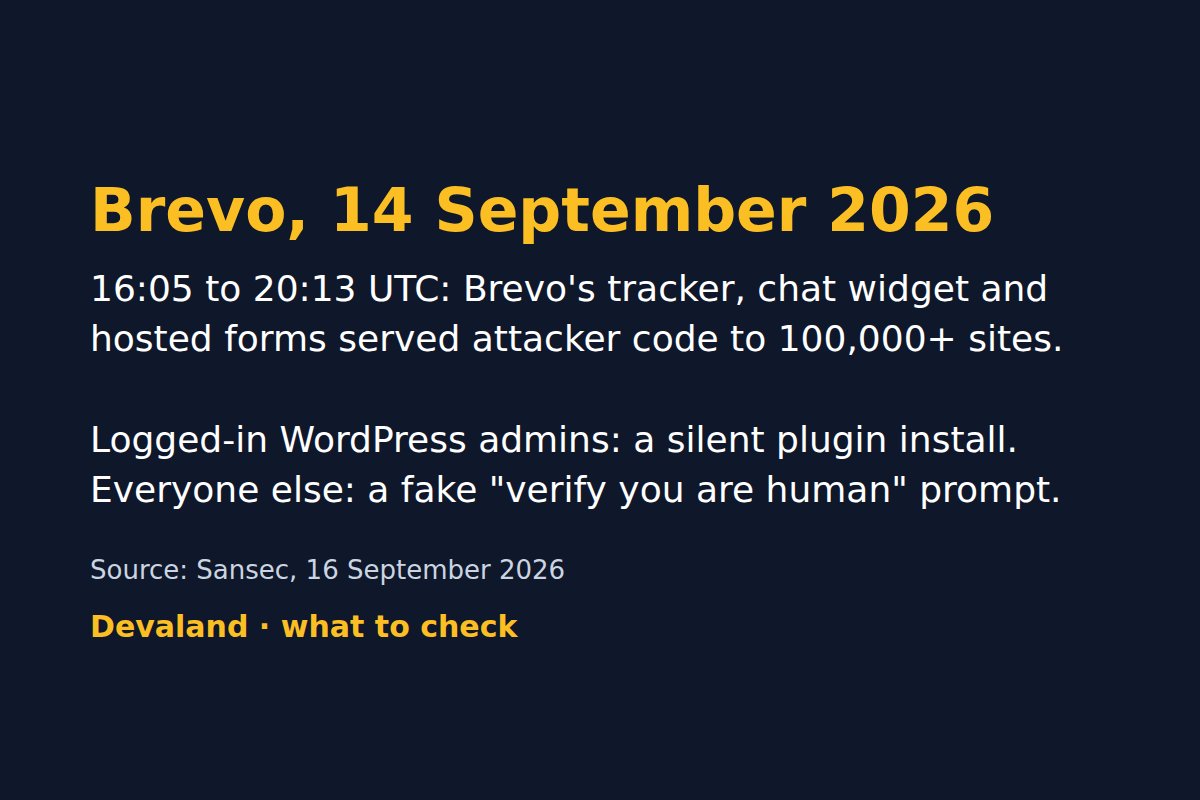
In short, as of 18 September 2026: on 14 September, between 16:05 and 20:13 UTC, files served by Brevo were altered to load attacker code. On WordPress sites where an administrator was logged in, it tried to install a plugin, most likely a backdoor. Every other visitor was shown a fake "verify you are human" prompt. Brevo is no longer serving the altered files, but a site that was infected during those hours stays infected.
What happened
On 10 September 2026, Brevo publicly disclosed a first incident. An attacker abused a flaw in the way Brevo handled SAML single sign-on and reached 138 customer accounts. Six of them were used to send phishing emails to the contacts stored there, and 43 had their contact lists exported. Brevo says it closed the route the same morning and signed out every user on the platform.
On 16 September, the Dutch security firm Sansec published an analysis of a second, much wider event on 14 September. Files that customer sites load directly from Brevo gained one extra line, which pulled in the attacker's script. According to Sansec, the affected files were:
- ✓the tracking code loader, sdk-loader.js;
- ✓the chat widget, brevo-conversations.js;
- ✓Brevo-hosted pages for sign-up and unsubscribe forms, including the ones people reach from the "unsubscribe" link in a newsletter.
Sansec estimates that more than 100,000 sites were exposed. The root cause is not confirmed. Sansec's working hypothesis is that the attackers gained access to Brevo's Cloudflare account, which would explain both the new DNS records and the rewritten responses. At the time of writing, Brevo had not published a statement about the 14 September event.
Two payloads, two audiences
WordPress administrators. If an administrator who was logged in to wp-admin opened a public page of their own site during that window, the script used their session to upload and activate a plugin downloaded from the attackers. Sansec did not recover the plugin, but assesses it as likely to be a backdoor: hidden, persistent access to the site.
Everyone else. Other visitors saw a full-page fake verification. It placed a command on the clipboard and told the visitor to paste it and run it. The technique is called ClickFix. It exploits no browser flaw at all. It works only because the person runs the command themselves.
Sansec also notes that the script stayed quiet for crawlers, developer tools and automated scanners, which is why a quick look at your own site afterwards proves nothing.
What to check on a WordPress site
If your site used the Brevo tracker, the chat widget or a hosted Brevo form, these are Sansec's recommendations:
- ✓In the web server access log for 14 September, look for a POST to /wp-admin/update.php?action=upload-plugin, followed shortly by a GET to /wp-admin/plugins.php?action=activate.
- ✓Look for any plugin installed or activated on 14 September 2026.
- ✓Compare the plugin directory on disk with the list in the admin screen. A malicious plugin can hide itself from that list, so the list on its own proves nothing.
Preserve the logs before rotation removes them: many hosts keep only days or weeks. And do not block the apex domain sendibt1.com outright. Sansec points out that the apex is Brevo's legitimate open and click tracking. Only subdomains such as cdn2.sendibt1.com were malicious.
The one rule for staff and customers
It applies to every site, not only this one: no legitimate website asks you to open the Run dialog, a terminal or a command prompt to pass a security check. Anyone who saw such a prompt during that window and followed it ran a malicious command on their own machine. Sansec's advice is a full antivirus scan, promptly.
Questions to put to whoever runs your site
- ✓Does our site load any Brevo code: the tracker, the chat widget or a hosted form?
- ✓Is it WordPress?
- ✓Were the access logs for 14 September checked for plugin uploads and activations, and what was found?
- ✓Was the plugin directory on disk compared with the admin list?
- ✓Have the logs from that day been preserved?
Ask for the answers in writing and dated. If something looks wrong, save the logs and a copy of the site files before anyone deletes or reinstalls anything, because those are the evidence of what happened.
What we cannot tell you
We cannot tell you whether your site was affected. We have not checked anyone's site, we do not run security audits and we do not manage WordPress installations. This article collects what the sources say so you know what to ask. The answer for your site lives in its logs and with whoever administers it.
Sources
Sansec, "Brevo supply chain attack hits 100k+ sites with Wordpress backdoors and Clickfix malware", 16 September 2026: sansec.io/research/brevo-supply-chain-attack. Brevo, incident write-up of 10 September 2026. Both read on 18 September 2026. If you find a difference from the source, write to us and we will correct the article.
📚 Related Resources
Get the 45-Point Acquisition Diligence Checklist
The complete pre-close checklist search funds, independent sponsors, and micro-PE buyers use to verify a business before they sign, free, and yours in one click.
Get the free checklist →